Moxtra vs Slack vs Zulip

tl;dr: Slack is prettier and has trello integration, moxtra has gitlab integration…but basically they are the same thing

Pricing

Since we are not going to pay I decided to list the perks of the free version of each

Slack

  • Searchable message archives, up to 10k of your team’s most recent messages
  • 10 apps or service integrations
  • Two-person voice and video calls
  • 5GB total file storage for the team
  • Two-factor authentication

Moxtra

  • search and browse messages from the past 90 days
  • 2 service integrations
  • 3 participants per meeting (including video meetings, screensharing, whiteboarding)
  • 30 minutes per meeting
  • 10 MB file upload size
    + (minimum 3 users)
  • 5 service integrations
  • 5 participants per meeting (including video meetings, screensharing, whiteboarding)
  • 45 mins per meeting
  • 20 MB file upload size

Desktop and mobile support

Slack

  • Windows, Mac, Linux (Ubuntu, Fedora)
  • iPhone, Android and Windows Phone

Moxtra

  • Windows, Mac
  • iOS, android, and blackberry

Apps

Slack

  • Trello
  • Add new Trello cards to boards directly from Slack with /trello add
  • Join Trello cards (and boards!), change due dates, attach conversations and a lot more.
  • Invite @trello to a channel for automated card & board previews including members, descriptions, comments and more.
  • Allow Slack team members to join your Trello team & boards in one click.)
  • Jira
  • A LOT MORE: Add Apps to Slack | Apps and Integrations | Slack App Directory

Moxtra

Screenshots

Slack

Moxtra

3 curtidas

Vou deixar os links para o desktop app

  • Slack: https://slack.com/downloads/windows (no slack temos un grupo chamado vetorzeroteam!, podem se cadastrar com o email da vetor, acho que da para combidar tudo mundo que tenha ese dominio)
  • Moxtra: http://moxtra.com/application/download/ (no moxtra temos un team chamado R & D, mas não estou muito segura de como é o ingresso nesse grupo, eu convidei vcs pelo email da vetor)
1 curtida

Ola, vou deixar aqui algumas ferramentas open source que eu conheço.

Zulip http://www.zulip.org/ :

Um messaging server interno ferramenta que foi adquirida pelo Dropbox desde 2014 e abriram codigo para ser open-source, e como é open source, é gratuito.

Screenshot:

  • Full-history search
  • Syntax highlighting for code snippets
  • Cross-platform clients and Web app
  • Private conversations
  • Drag and drop file uploads
  • Desktop apps and Mobile apps
  • RESTful API and Integrations (more below)
  • Inline image and video previews

Integrations

  • Gitlab
  • Bitbucket
  • Trello
  • Jira
  • Jenkins
  • Zendesk

Lista completa disponivel aqui: Connect the tools you use to Zulip

Mattermost

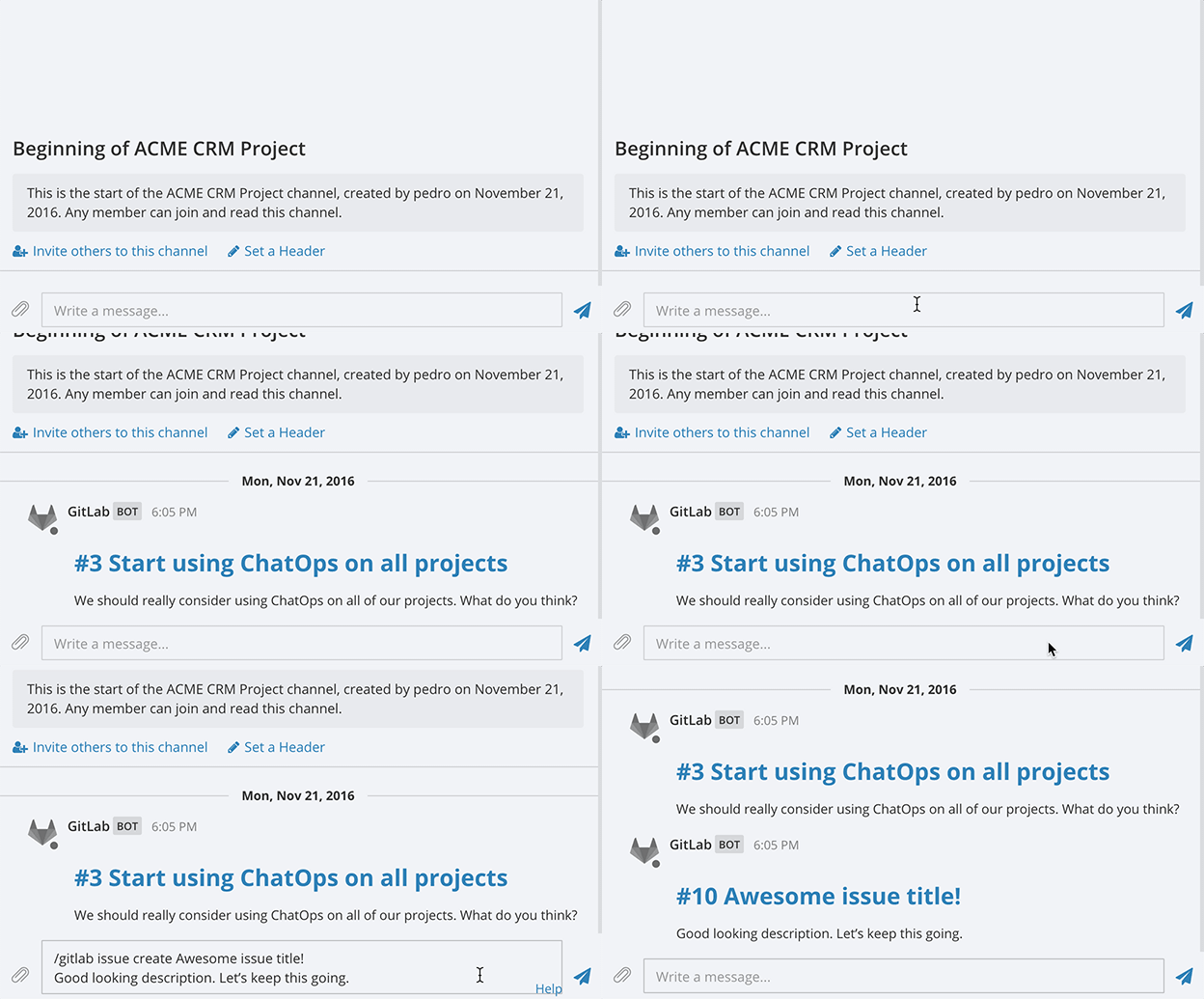
Uma maior alternativa para slack, conhecido como open-source é self-hosted slack alternativa , é mattermost. Estou incluindo mattermost nessa lista principalmente porque tem uma nova integração com Gitlab, e na verdade Mattermost server vem juntos com ultimos versões de Gitlab. Abaixo é demo do feature:

Link no blog do Gitlab sobre integração: GitLab 8.14 Released with Time Tracking Beta and Chat Commands | GitLab

Features do mattermost:

  • Open-source with commercial offering www.mattermost.com
  • Two-factor authentication
  • Windows and Mac apps
  • Mobile apps
  • RESTful API and integrations

Integrations:

Muitas integrações disponivel, especialmente para versão paga. Lista completa aqui:

1 curtida